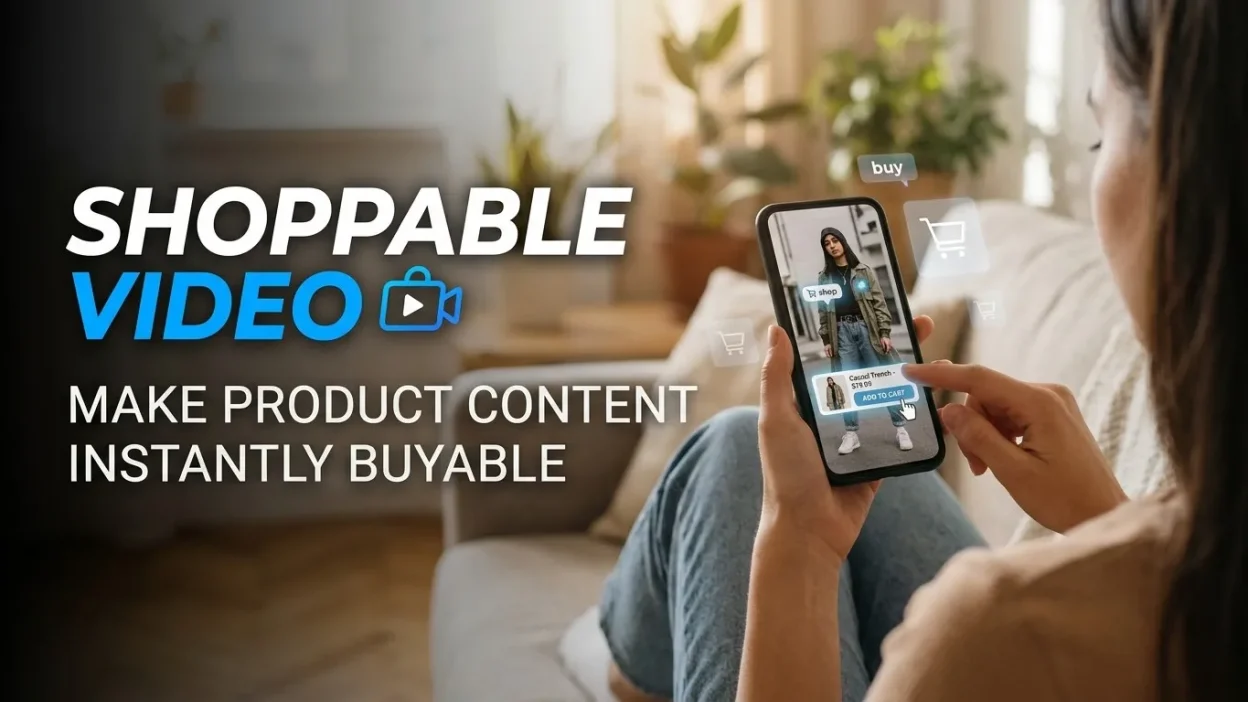
Shoppable Video transforms product discovery into a seamless buying experience by allowing viewers to explore products, interact with content, and purchase items without unnecessary browsing or checkout friction.
People no longer discover products only through search engines, online stores, or traditional advertisements. They find them while watching product reviews, scrolling through social feeds, following creators, exploring brand websites, and viewing short-form videos. This shift has changed what consumers expect from digital content. They want inspiration, useful information, and a convenient way to purchase the products that catch their attention.
Shoppable Video connects these expectations by turning product-focused video content into an interactive shopping experience. Instead of watching a demonstration and searching for the product separately, viewers can click a product tag, explore product details, select a variation, or move toward checkout directly from the video experience.
For businesses, this creates an opportunity to reduce the distance between interest and purchase. A customer watching a skincare demonstration, clothing try-on, furniture tutorial, or technology review can move from product discovery to product evaluation without navigating through several unrelated pages.
However, simply adding clickable product links to a video does not guarantee better sales. Effective implementation requires relevant content, clear product information, an intuitive interface, trustworthy demonstrations, and a purchasing journey that works smoothly across devices.
This guide explains how Shoppable Video works, why consumers respond to it, which formats businesses can use, how to create effective campaigns, and how to measure results. It also explores common mistakes and practical strategies for building a shopping experience that helps viewers make confident buying decisions.
What Is Shoppable Video?
Shoppable Video is a form of interactive video content that allows viewers to discover and purchase featured products through clickable elements, product tags, embedded links, interactive hotspots, or integrated shopping interfaces.
Traditional product videos primarily communicate information. They show a product, explain its features, demonstrate its benefits, or introduce a brand. Viewers generally need to leave the video, search for the product, open a website, and complete the purchase through a separate process.
An interactive shopping video connects more of these steps within the viewing experience.
For example, imagine a customer watching a video demonstrating a pair of running shoes. A product tag appears while the shoes are being demonstrated. The viewer clicks it, checks the available sizes, reviews the price, and visits the relevant product page. Depending on the platform, the customer may even complete the purchase without leaving the video environment.
The objective is not simply to make a video clickable. It is to make product discovery more useful and purchasing more convenient.
How Shoppable Video Differs From Traditional Product Videos
| Feature | Traditional product video | Interactive shopping video |
|---|---|---|
| Primary purpose | Explain or promote a product | Explain, promote, and facilitate shopping |
| Product links | Often placed in descriptions or separate pages | Can appear directly within the viewing experience |
| Customer interaction | Primarily watching | Watching, exploring, clicking, and shopping |
| Product discovery | May require additional searching | Can connect viewers to featured products immediately |
| Purchase journey | Often involves multiple navigation steps | Can reduce unnecessary navigation |
| Measurement | Views, watch time, and engagement | May additionally track product clicks and attributed purchases |
| Best use | Awareness, education, and storytelling | Discovery, consideration, and conversion support |
Both formats have value. Traditional videos can be excellent for storytelling, education, and brand awareness. Shoppable formats add a more direct connection between the content and the product being featured.
How the Shopping Experience Works
A typical implementation follows several steps.
-
Content discovery: A viewer encounters a product video through a social platform, an advertisement, a brand website, or an online store.
-
Product presentation: The video demonstrates the product, explains its benefits, or shows how it works in a realistic situation.
-
Interactive engagement: A clickable product tag, hotspot, shopping card, or call to action invites the viewer to explore.
-
Product evaluation: The viewer checks details such as price, specifications, availability, colours, sizes, or reviews.
-
Purchase consideration: The customer evaluates whether the product meets their needs and budget.
-
Checkout: The viewer completes the transaction through the platform’s shopping feature or the merchant’s website.
-
Post-purchase measurement: The business evaluates the interaction and determines whether the video contributed to the sale.
Not every platform supports every step. Some experiences allow in-video product discovery but send shoppers to an external website for checkout. Others provide more integrated shopping functionality.
Businesses should therefore distinguish between a video that supports shopping and a video that enables the complete transaction.
Why Shoppable Video Matters for Modern E-Commerce
The biggest challenge in digital commerce is not always attracting attention. It is helping interested customers move from attention to action.
A person might watch an entertaining product demonstration, recognise a problem the product solves, and feel interested in purchasing it. However, if finding the product requires multiple searches, unfamiliar navigation, or repeated page loading, the initial interest may disappear.
Shoppable Video addresses this problem by connecting product information with the moment of interest.
It Reduces the Gap Between Discovery and Purchase
In traditional digital marketing, product discovery and purchase often happen in different places. A customer sees a product on social media, searches for the brand, opens a product page, compares alternatives, and eventually decides whether to buy.
Every additional step creates an opportunity for distraction or confusion.
A well-designed shopping video shortens this journey by placing relevant product information close to the content that generated interest.
Consider a fashion retailer demonstrating three outfits. Rather than requiring viewers to search the store for every item, the video can connect each outfit to the relevant clothing products. Customers can explore the exact items they saw.
This does not eliminate every step in the purchase journey, but it makes those steps more relevant.
It Makes Product Benefits Easier to Understand
Some products are difficult to evaluate through static photographs alone.
Furniture buyers may want to see how a chair looks from different angles. Customers considering skincare products may want to understand application techniques. Technology buyers may need to see how a device operates before comparing specifications.
Video provides movement, context, demonstrations, and explanations that static images cannot always communicate effectively.
When shopping functionality is added, viewers can investigate a product immediately after seeing its benefits demonstrated.
This combination is especially valuable when product usefulness depends on understanding how something works rather than simply knowing what it looks like.
It Supports More Confident Buying Decisions
Customers are more likely to hesitate when they cannot answer basic questions about a product.
They may wonder whether a garment fits properly, whether a device is compatible with their existing equipment, whether a cosmetic product suits their routine, or whether a piece of furniture fits their room.
An effective product video can answer these questions before the customer reaches checkout.
The most useful demonstrations show real product characteristics, explain limitations, and set realistic expectations. A video that honestly demonstrates what a product can and cannot do is often more persuasive than one that relies exclusively on exaggerated claims.
Shoppable Video becomes more effective when it helps customers understand their choices rather than simply encouraging them to click.
The Psychology Behind Interactive Shopping Videos

Understanding customer psychology helps businesses design experiences that feel useful instead of intrusive.
People do not purchase products simply because a button appears on a screen. They respond to perceived value, convenience, trust, emotional relevance, social influence, and confidence in their decisions.
Convenience Reduces Decision Friction
Digital customers frequently manage several tasks at once. They may browse products while commuting, relaxing at home, or taking a short break from work.
When a shopping experience demands unnecessary effort, customers may postpone the decision or abandon the process.
Interactive product videos reduce some of that effort by connecting the demonstration with relevant shopping information.
However, convenience should not come at the expense of clarity. A customer should understand what happens after clicking a product tag. Buttons should be easy to recognise, and the experience should not unexpectedly interrupt the video or send the viewer to an unrelated page.
Visual Demonstrations Make Benefits More Concrete
A product description might claim that a blender can process ingredients quickly. A demonstration can show the ingredients being processed and the finished result.
The demonstration makes the claimed benefit easier to imagine.
Similarly, a clothing brand can show how a jacket moves when someone walks, while a furniture retailer can demonstrate how a storage mechanism opens and closes.
The more clearly viewers can connect a demonstrated feature with their own needs, the easier it becomes to evaluate the product.
Social Proof Can Reduce Uncertainty
People often look for evidence that other customers have found a product useful.
Creator demonstrations, genuine customer reviews, customer-submitted videos, and authentic product experiences can help answer questions that polished advertisements may leave unresolved.
However, social proof works best when it is credible. Businesses should not manufacture testimonials, conceal material sponsorship relationships, or present exceptional results as typical outcomes without appropriate context.
A useful shopping video gives viewers evidence they can evaluate independently.
Interactive Choice Creates a Sense of Control
Customers generally appreciate being able to explore products at their own pace.
A video that allows viewers to choose a colour, open a product card, or inspect a featured item gives them more control than a rigid promotional sequence.
That control matters because different shoppers have different priorities. One person may care about price, another about durability, and another about appearance.
The design should make it easy to explore relevant information without forcing every viewer through the same sequence.
Urgency Should Be Honest
Limited-time promotions, seasonal offers, and genuine low-stock notifications can influence purchase decisions. Nevertheless, false scarcity can damage trust.
Businesses should display promotional deadlines and inventory information only when they are accurate. An interactive video should never manufacture pressure simply to increase immediate conversions.
Long-term customer confidence is more valuable than a short-lived increase in clicks.
Types of Shoppable Video Businesses Can Use
Different video formats serve different customer needs. A business should choose the format that matches its products, audience, distribution channels, and available technology.
1. Product Demonstration Videos
Product demonstrations show how an item works, what it offers, and why someone might need it.
Examples include:
-
Demonstrating how a kitchen appliance prepares a meal.
-
Showing how a portable charger connects to a device.
-
Explaining how a beauty product is applied.
-
Showing how a household cleaning product works on an appropriate surface.
-
Demonstrating how a software tool completes a common task.
Interactive product links allow viewers to explore the exact item featured in the demonstration.
This format works especially well when customers need practical information before making a purchase.
2. Short-Form Shopping Videos
Short-form videos present a product or benefit in a compact format designed for quick consumption.
They can feature one product, a brief tutorial, a before-and-after demonstration, or a simple explanation of a common customer problem.
The opening seconds are particularly important. Viewers should quickly understand why the content is relevant to them.
A useful structure is to introduce the problem, demonstrate the product, explain the most important benefit, and offer an unobtrusive route to the product page.
Short videos can be repurposed across suitable channels, but businesses should adapt their format, captions, and interactive elements to each platform’s requirements.
3. Live Shopping Videos
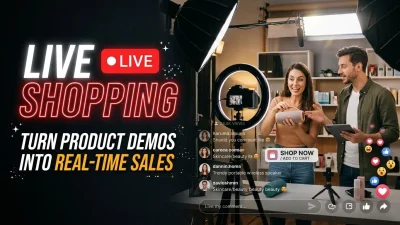
Live shopping combines real-time video with product discovery and audience interaction.
Hosts can demonstrate products, answer questions, compare options, and respond to viewers as the broadcast progresses.
For example, a home décor retailer might demonstrate several lighting products and answer questions about room size, brightness, and installation. Viewers can then explore the featured products through the available shopping interface.
Live formats are useful when customers have questions that benefit from immediate answers. They also require preparation, moderation, reliable streaming, and a clear plan for handling product availability or unexpected technical problems.
4. User-Generated Shopping Videos
Customer-created videos can show how products perform in everyday situations.
A customer might demonstrate a backpack during a commute, explain how a kitchen organiser fits into a small apartment, or show how a particular accessory works with an existing device.
These videos can feel relatable because they often feature realistic settings rather than professional production environments.
Brands should obtain the necessary permission before using customer content commercially. They should also ensure that claims are truthful and that any incentives or commercial relationships are disclosed when required.
5. Influencer and Creator Shopping Videos
Creators can introduce products to audiences who already value their content.
A fitness creator may demonstrate suitable exercise equipment, while a technology reviewer may explain the differences between two devices. A beauty creator may show application techniques and discuss product characteristics.
The strongest partnerships depend on relevance and credibility rather than follower counts alone.
A creator whose audience matches the product’s intended customer may produce more meaningful engagement than a larger creator whose audience has little purchase interest.
Businesses should evaluate audience fit, content quality, engagement patterns, disclosure practices, and the creator’s ability to explain the product accurately.
6. Interactive Video on Product Pages
Retailers can place videos directly on product pages, allowing customers to watch demonstrations while reviewing prices, specifications, and availability.
This is useful for visitors who have already expressed purchase interest but need additional information before deciding.
For example, an electronics retailer could show a device’s setup process, while a furniture store could demonstrate assembly or storage features.
The video should complement the existing product information rather than obscure it. Essential details, including price, delivery information, specifications, and return policies, should remain easy to access.
7. Shoppable Video Advertisements
Paid video advertisements can combine product demonstrations with direct shopping destinations.
These campaigns can appear in social feeds, supported advertising placements, or other environments where video commerce features are available.
Businesses should verify the current capabilities of each advertising platform because product tagging, checkout options, audience targeting, and reporting vary by channel and market.
An advertisement should connect the promise made in the video with the destination page. If a video promotes a specific product variation, the landing experience should display that same variation whenever possible.
How to Create a High-Converting Shoppable Video Strategy
Effective video commerce starts with the customer, not the software.
Before choosing a video player or creating product tags, businesses need to understand who they are targeting, what questions customers have, and which information would make the purchasing decision easier.
Step 1: Define the Campaign Objective
Start by identifying the primary outcome the campaign should achieve.
Possible objectives include:
-
Increasing product-page visits.
-
Helping customers understand complex products.
-
Generating qualified shopping interest.
-
Improving product discovery.
-
Increasing completed purchases.
-
Supporting product launches.
-
Reducing uncertainty before checkout.
-
Encouraging existing customers to discover complementary products.
Different objectives require different content and measurement approaches.
For example, a campaign designed to explain a technical product may prioritise product-card interactions and qualified visits. A campaign designed to sell an established consumer product may focus more heavily on add-to-cart activity and purchases.
Trying to achieve every objective through one video can make the message confusing. Select a primary goal and define secondary indicators where appropriate.
Step 2: Understand the Target Audience
Research the questions customers ask before purchasing.
Useful sources include customer support conversations, product reviews, sales-team feedback, search queries, website analytics, and comments on existing social content.
Look for repeated concerns such as:
-
Is the product suitable for my needs?
-
How difficult is it to use?
-
Which version should I choose?
-
Is the price justified?
-
What makes it different from alternatives?
-
How quickly can it be delivered?
-
What happens if it does not meet my expectations?
These questions should influence the video script.
A campaign becomes more persuasive when it answers the questions customers already have instead of forcing them to interpret generic marketing messages.
Step 3: Choose Products That Benefit From Demonstration
Not every product requires a detailed video.
Items with distinctive features, multiple uses, complicated setup processes, visual transformations, or important fit considerations often benefit from demonstration.
A retailer can prioritise products using factors such as:
| Selection factor | Why it matters | Example |
|---|---|---|
| Demonstration value | Video makes product benefits easier to understand | Kitchen appliances |
| Customer uncertainty | Buyers need additional information | Technical accessories |
| Visual appeal | Appearance influences evaluation | Fashion and décor |
| Product differentiation | Features are easier to compare visually | Consumer electronics |
| Existing demand | There is already interest to serve | Popular product categories |
| Inventory reliability | Featured products should be available | Core seasonal products |
Businesses should also consider profit margins, stock availability, return rates, and customer satisfaction. A video that generates demand for an unavailable item creates frustration rather than value.
Step 4: Develop a Clear Video Script
A useful script follows a logical sequence.
Opening: Capture attention by identifying a customer problem, question, or desired outcome.
Demonstration: Show the product being used in a relevant context.
Explanation: Highlight the features that matter most to the target audience.
Evidence: Provide realistic demonstrations, comparisons, or credible supporting information.
Shopping interaction: Introduce the relevant product tag or link when the viewer has enough context to understand its value.
Next step: Make the desired action clear without adding unnecessary pressure.
For example, a video promoting a travel organiser might open with the problem of disorganised luggage, demonstrate how the organiser separates essential items, explain its compartments and dimensions, and invite viewers to explore the product.
The demonstration should carry the message. The interactive element should make the next step convenient.
Step 5: Make Product Tags Relevant
Product tags should appear when they help viewers act on information they have just received.
A tag for a jacket makes sense while the jacket is being demonstrated. A tag for a camera lens makes sense when the video explains that lens’s capabilities.
Displaying every product link at once can overwhelm viewers and distract them from the content.
For videos featuring several items, use clearly labelled product cards or an organised product list. Make it obvious which product corresponds to each tag.
Avoid vague labels such as “Click here” when a descriptive label can explain what the viewer will find.
Step 6: Design for Mobile Users
Many viewers discover product videos on smartphones, where screen space is limited and attention can be interrupted easily.
A mobile-friendly experience should include:
-
Readable captions and product labels.
-
Interactive controls that are easy to tap.
-
Clear product images.
-
Fast loading.
-
A layout that does not obscure essential video content.
-
Accessible controls for pausing and replaying.
-
A checkout experience that works on smaller screens.
Businesses should test their videos on multiple devices rather than relying exclusively on desktop previews.
A product tag that looks clear on a large monitor may cover an important detail on a phone. Similarly, a complicated product-selection interface can make the purchase process unnecessarily difficult.
Step 7: Build a Consistent Shopping Journey
The product shown in the video should match the product displayed after the viewer clicks.
Check that the destination includes the correct product name, variation, images, pricing, availability, and relevant information.
If a video demonstrates a blue jacket in a specific size, directing the viewer to an unrelated product category creates unnecessary friction.
The journey should also preserve important campaign information where technically and legally appropriate, allowing businesses to understand how customers move between video content, product pages, and checkout.
Step 8: Test Before Publishing
Before a campaign goes live, test the entire experience.
Check every product tag, link, button, product variation, and checkout route. Confirm that the video loads correctly, captions are readable, and interactive elements work on supported devices.
If a campaign uses a promotion, confirm that the offer is valid and that the destination displays the correct terms.
Testing should include a complete purchase journey where possible, using an appropriate test environment or a controlled transaction process.
A video can look polished while still directing customers to a broken link. Technical checks are therefore part of the marketing strategy, not merely a final production task.
Choosing the Right Platform for Shoppable Video
There is no single platform that suits every business. The right choice depends on audience behaviour, product category, available integrations, commercial objectives, and the amount of control the business needs over its customer experience.
Social Media Platforms
Social platforms can help brands introduce products to audiences who are already watching entertainment, educational content, and creator videos.
Their main advantage is the ability to connect product discovery with content consumption.
However, commerce features differ between platforms and markets. Businesses should verify whether direct product tagging, native checkout, product catalogues, and purchase reporting are currently available for their account and region.
Content should also follow the platform’s technical requirements, advertising rules, and commercial disclosure policies.
E-Commerce Websites
An online store gives a business greater control over product information, website design, and the relationship between video content and the checkout experience.
Shoppable video can be incorporated into product pages, category pages, landing pages, or editorial shopping guides.
This approach is especially useful when a retailer wants to combine demonstrations with detailed specifications, customer reviews, shipping information, and related products.
The main consideration is performance. Video embeds and interactive scripts should not make essential content slow to load or difficult to use.
Video Hosting and Commerce Tools
Specialist video-commerce tools may offer interactive hotspots, product cards, video galleries, analytics, and integrations with e-commerce systems.
When comparing tools, businesses should evaluate:
-
Compatibility with their existing platform.
-
Support for product catalogues.
-
Mobile performance.
-
Accessibility features.
-
Reporting and analytics.
-
Integration with consent and privacy controls.
-
Customisation options.
-
Pricing and contract requirements.
-
Support and maintenance.
A tool with many features is not automatically the best option. A smaller, reliable implementation may deliver more value than a complicated system that the team cannot manage effectively.
Shoppable Video and Social Commerce Marketing
Shoppable Video can form an important part of a broader Social Commerce Marketing strategy.
Social commerce focuses on how social platforms influence product discovery, evaluation, and purchasing. Video can support this process by demonstrating products in the environments where customers already spend time.
For example, a home décor brand could publish a short video showing how a lamp changes the atmosphere of a room. Viewers could explore the featured lamp, compare related designs, and visit the retailer’s store.
The same content can contribute to multiple stages of the customer journey.
At the awareness stage, viewers learn that the product exists. During consideration, they see how it works. At the decision stage, product links make it easier to evaluate the item and proceed toward checkout.
However, businesses should avoid treating every social interaction as evidence of purchase intent. A video may receive many views because it is entertaining, even if few viewers are interested in buying.
The goal is to understand how engagement relates to meaningful customer actions.
Connect Content With the Customer Journey
A strong social commerce strategy matches content to the questions customers have at each stage.
| Customer stage | Useful video content | Desired next step |
|---|---|---|
| Awareness | Short product introductions | Learn more |
| Interest | Demonstrations and creator content | Explore a featured product |
| Consideration | Comparisons, tutorials, and detailed reviews | Evaluate available options |
| Decision | Product-specific demonstrations and offer details | Visit the product page or checkout |
| Retention | Setup guides, care instructions, and complementary products | Use the product successfully |
Not every viewer moves through these stages in order. Some customers arrive ready to purchase, while others need more information over several visits.
A flexible content strategy recognises these differences rather than assuming one video will convert every viewer immediately.
Using TikTok for Product Discovery and Video Commerce
TikTok can be relevant for businesses whose audiences discover products through short-form videos, creators, demonstrations, and trends.
A successful video should offer value even before the viewer interacts with a product link.
For instance, a kitchen brand could show a practical cooking technique and feature the utensil used. A clothing retailer could demonstrate three ways to style a jacket. A technology brand could explain a useful device feature through a short tutorial.
Businesses planning TikTok Product Promotion should distinguish between creating content that attracts attention and creating content that supports a commercial outcome.
A trend can increase visibility, but it does not automatically establish that viewers are interested in the featured product. The content should remain relevant to the audience and communicate a clear benefit.
Build Content Around Genuine Product Value
Avoid forcing a product into a trend that has little connection to the brand.
Instead, identify a recurring customer question, demonstrate a useful solution, and connect the demonstration with an appropriate shopping destination.
The format should suit the product. A quick visual demonstration may work for a simple accessory, while a complex device may need a series of videos explaining different features.
Where product links or native shopping features are available, ensure that the featured items match the content and remain available for purchase.
Measure More Than Views
A video that attracts attention but produces little product interest may still have awareness value. Nevertheless, businesses should not evaluate its commercial contribution through views alone.
Consider tracking product clicks, qualified product-page visits, add-to-cart events, purchases, and revenue where measurement is supported.
Use these indicators to identify which creative approaches attract the right audience and help viewers take the next step.
Measurement, Attribution, and Campaign Performance
Measurement helps businesses determine whether interactive video content contributes to meaningful results.
A campaign should have a clear measurement plan before launch. Otherwise, the team may collect large amounts of engagement data without understanding which outcomes matter.
Essential Metrics to Track
| Metric | What it measures | Why it matters |
|---|---|---|
| Video impressions | How often the video is displayed | Indicates potential exposure |
| Video starts | How often playback begins | Helps evaluate initial interest |
| Watch time | How long viewers watch | Shows viewing depth |
| Completion rate | Share of viewers who reach the end | Helps assess content retention |
| Product-tag click rate | Share of relevant viewers who interact with product links | Indicates product interest |
| Product-page visits | Traffic generated toward product details | Measures shopping intent |
| Add-to-cart rate | Share of visitors who add products to their carts | Indicates purchase consideration |
| Conversion rate | Share of defined visitors or sessions that convert | Measures the selected conversion outcome |
| Revenue | Sales associated with the measurement method | Supports commercial evaluation |
| Return rate | Share of orders subsequently returned | Helps evaluate purchase quality |
Definitions matter. For example, a conversion rate calculated from video viewers is not directly comparable with one calculated from product-page visitors unless the denominator and attribution method are understood.
Businesses should document how each metric is calculated and use consistent definitions across campaigns.
Understanding Attribution
Customers rarely interact with only one marketing channel before purchasing.
A person might discover a product in a video, revisit the website through an organic search, click a paid advertisement, and complete the purchase several days later.
A last-click report may assign the conversion to the final interaction. Another measurement model may distribute credit differently.
Neither report should automatically be treated as a complete explanation of how the sale occurred.
Businesses need to consider attribution windows, cross-device activity, consent limitations, tracking gaps, and the difference between correlation and incremental impact.
Connecting Video Engagement With App Measurement
For businesses that use mobile applications, a video campaign may contribute to app installs, product discovery, or purchases that occur inside the app.
In these situations, App Attribution can help businesses understand which marketing interactions are associated with app installs and subsequent in-app actions, depending on the available data and measurement setup.
The exact implementation depends on the advertising channels, mobile operating system, app analytics tools, and applicable privacy requirements.
Teams should define which events matter before launching the campaign. These might include an install, account registration, product view, add-to-cart action, or completed purchase.
Accurate event definitions make it easier to compare campaigns and identify where customers stop progressing.
Understanding iOS Measurement Limitations
Mobile advertising measurement can be more complicated when campaigns involve Apple’s privacy-focused attribution framework.
SKAdNetwork Measurement is relevant to understanding certain forms of iOS advertising attribution, where reporting may be delayed, aggregated, or limited compared with user-level measurement.
Businesses running video campaigns that lead to app activity should verify their current measurement setup and understand which conversion signals are available.
They should not assume that every video interaction, install, and purchase can be linked to an individual user across platforms.
A useful reporting approach combines the available attribution data with broader performance indicators, such as total sales, product-page activity, campaign costs, and results from controlled experiments where feasible.
Distinguish Attribution From Incrementality
Attribution asks how credit for a conversion is assigned under a particular measurement model. Incrementality asks whether the campaign caused additional results that would not otherwise have occurred.
This distinction is important.
Some customers who purchase after seeing a video may already have intended to buy. A campaign can receive attributed conversions without generating the same number of genuinely additional purchases.
Where budgets and traffic allow, businesses can use suitable holdout groups, geographic comparisons, or other controlled experiments to estimate incremental impact.
The method should match the campaign and avoid overstating what the available evidence can prove.
Improving Conversion Rates Without Damaging Trust
Better conversion performance does not always require stronger sales language. Often, the most effective improvement is to remove uncertainty or friction from the buying process.
Keep the Call to Action Specific
A useful call to action explains what viewers can do next.
Examples include:
-
Explore the featured product.
-
Compare available colours.
-
View the full specifications.
-
See the product in more detail.
-
Check current availability.
-
Choose your preferred size.
The wording should reflect the destination. If a button says “Compare sizes,” it should lead to a place where size options are easy to understand.
Improve the Product Landing Experience
The product page should continue the conversation started by the video.
If the video explains a product’s durability, the page should provide relevant materials, specifications, warranty information, or other substantiated details.
If the video features a particular model, the destination should display that model rather than requiring the customer to search through a broad category.
Ensure that price, shipping information, return policies, and stock status are clear before checkout.
Use Product Bundles Carefully
A video may demonstrate several products that work together.
For example, a home office video could feature a desk, desk lamp, organiser, and chair. Providing separate product links can help viewers explore individual items, while a clearly labelled bundle may simplify shopping for customers who want the complete setup.
However, bundles should not hide the cost of individual products or imply that a customer must purchase every featured item.
Give shoppers a clear choice between buying individual products and purchasing a bundle when both options are available.
Address Common Objections
Customer objections can reveal what information is missing.
A product video may benefit from explaining dimensions, compatibility, maintenance, material quality, setup requirements, or the difference between available versions.
The best objection-handling content is specific and verifiable.
Avoid making unsupported claims about performance, health benefits, savings, or competitor products. The purpose is to help customers evaluate the product fairly.
Optimise for Accessibility
A shopping experience should work for people with different abilities and viewing circumstances.
Provide captions for spoken content, meaningful text alternatives where appropriate, readable contrast, and controls that do not rely exclusively on colour.
Ensure interactive elements can be identified and operated through supported input methods. Avoid placing essential information only in audio when a text equivalent is practical.
Accessibility can also improve usability for people watching videos in noisy environments or with the sound turned off.
Common Shoppable Video Mistakes to Avoid
Even well-produced videos can underperform when the shopping experience is confusing or poorly aligned with customer needs.
Making Every Video an Advertisement
Not every video needs to push viewers toward an immediate purchase.
Educational videos, setup guides, product comparisons, and practical demonstrations can build confidence before a customer is ready to buy.
If every piece of content repeatedly interrupts the viewer with aggressive sales messages, audiences may become less willing to engage.
Balance commercial content with genuinely useful information.
Adding Too Many Product Tags
Excessive tags can compete with the video itself.
When multiple products appear together, use a clear structure that lets viewers identify the relevant item without confusion.
Start with a limited number of products and expand only when additional options genuinely improve the experience.
Ignoring Video Loading Speed
Large video files, poorly configured embeds, and unnecessary scripts can slow down product pages.
Slow performance can frustrate users and make it harder for them to explore products.
Use appropriate video compression, responsive delivery, and performance testing. Where practical, avoid loading nonessential interactive resources before they are needed.
Using Misleading Demonstrations
Heavy editing, exaggerated results, and omitted limitations can create unrealistic expectations.
Customers who receive a product that differs from what they understood from the video may return it or lose trust in the brand.
Show products accurately, explain relevant conditions, and make material limitations visible.
Neglecting Inventory and Product Updates
A product video may remain online long after its featured item becomes unavailable.
Broken links, discontinued products, outdated prices, and expired promotions create unnecessary frustration.
Establish a process for reviewing product links, checking availability, and updating or removing outdated content.
For evergreen videos, consider whether the content remains useful when prices, models, or product features change.
Measuring Only Engagement
High watch time and strong engagement can indicate that viewers find content interesting, but they do not necessarily demonstrate commercial success.
Likewise, a video with modest reach may produce valuable sales among a highly relevant audience.
Evaluate the results against the original campaign objective. Use engagement metrics to understand content performance and downstream metrics to assess shopping behaviour.
A Practical 30-Day Shoppable Video Implementation Plan
Businesses do not need to transform their entire marketing operation at once. A controlled pilot can reveal whether interactive video is useful for a particular audience and product category.
The following plan provides a practical starting point.
| Period | Main activity | Key tasks | Expected output |
|---|---|---|---|
| Days 1–5 | Research and planning | Select products, review customer questions, define objectives | Campaign brief |
| Days 6–10 | Content development | Write scripts, prepare demonstrations, select calls to action | Video concepts and scripts |
| Days 11–15 | Production and setup | Record content, configure product links, prepare landing pages | Testable video experience |
| Days 16–20 | Quality assurance | Test links, mobile usability, tracking, and checkout | Campaign ready for launch |
| Days 21–25 | Pilot launch | Publish content and monitor early performance | Initial performance data |
| Days 26–30 | Analysis and optimisation | Review results, identify friction, plan revisions | Improvement plan |
Days 1–5: Select a Suitable Product
Choose one product or a small group of related products with clear demonstration value.
Review customer questions and identify the information that could make purchasing easier.
Record the primary objective, target audience, intended shopping action, and success metrics.
Days 6–10: Create the Content Plan
Develop a few different creative approaches.
One video might demonstrate the product’s main benefit, another might answer a common customer question, and a third might compare relevant product options.
Keep the core message consistent enough to support meaningful comparisons, while allowing each video to address a distinct customer need.
Days 11–15: Produce and Configure
Record the demonstrations and add the supported interactive elements.
Prepare the product destination pages and confirm that the featured products are available.
Set up measurement for relevant events and check that the campaign can distinguish between video engagement and subsequent shopping activity.
Days 16–20: Test the Complete Experience
Review the video on different devices and connection conditions.
Test every interactive element, check product information, and confirm that the checkout process works.
Review captions, accessibility, disclosures, and promotional terms. Fix any issues before directing paid traffic toward the campaign.
Days 21–25: Launch the Pilot
Publish the video in the selected channel or channels.
Monitor the campaign against the original objective. Watch for broken links, confusing interactions, low-quality traffic, or unexpected changes in product availability.
Avoid making major conclusions from a very small amount of data. Early results can help identify technical problems, but reliable performance comparisons may require more observations.
Days 26–30: Analyse and Improve
Review how viewers move from watching to interacting, visiting product pages, adding items to their carts, and purchasing.
Identify the biggest point of friction.
If many people watch but few interact, the product tag may be poorly timed, unclear, or irrelevant. If many click but few purchase, investigate the landing page, pricing, availability, checkout, and audience quality before assuming the video itself is the problem.
Use the findings to develop the next test.
Frequently Asked Questions (FAQ)
What Is Shoppable Video in Digital Marketing?
Shoppable Video is interactive video content that allows viewers to explore featured products through clickable tags, hotspots, product cards, or shopping links. Depending on the platform, viewers can visit product pages or complete purchases within the video experience.
How Does Shoppable Video Increase Sales?
It can reduce friction between product discovery and shopping by placing relevant product information close to the demonstration that generated interest. Results depend on content quality, audience relevance, pricing, product availability, and the ease of completing a purchase.
Which Businesses Can Benefit From Shoppable Video?
Fashion, beauty, home décor, electronics, food, fitness, and lifestyle retailers can benefit when demonstrations help customers understand product features. Businesses selling services or digital products may also use interactive video to explain offerings and direct viewers toward relevant landing pages.
Is Shoppable Video Suitable for Small Businesses?
Yes. Small businesses can begin with a few product demonstrations and simple product links supported by their chosen platform. They do not necessarily need a complex video-commerce system to test whether interactive product content helps their customers.
What Is the Difference Between Shoppable Video and Live Shopping?
Shoppable Video includes interactive product content that may be prerecorded or published as part of an online shopping experience. Live shopping specifically involves real-time broadcasts where hosts can demonstrate products and interact with viewers during the session.
Which Metrics Should Businesses Track for Shoppable Video?
Useful metrics include impressions, watch time, completion rate, product-tag clicks, product-page visits, add-to-cart activity, purchases, revenue, and return rates. The most important indicators depend on the campaign objective and the measurement tools available.
Does Shoppable Video Work on Mobile Devices?
Yes, provided the selected platform supports the relevant functionality and the experience is designed for mobile use. Businesses should test video loading, captions, product tags, navigation, and checkout on different screen sizes.
How Can Businesses Improve Shoppable Video Conversion Rates?
Businesses can improve results by demonstrating relevant product benefits, making interactive elements clear, ensuring that product links lead to accurate destinations, answering customer questions, and simplifying the mobile shopping journey. Testing different creative approaches can reveal what works best.
Do Businesses Need Special Software to Create Shoppable Video?
Not always. Some platforms offer built-in shopping features, while others require an e-commerce integration or a specialist video-commerce tool. The appropriate solution depends on the required functionality, existing technology, budget, and reporting needs.
How Can Businesses Measure the ROI of Shoppable Video?
Businesses can compare campaign costs with the financial outcomes measured through their chosen attribution method. A fuller evaluation considers revenue, margins, returns, and incremental impact where measurable. Clear conversion definitions and reliable tracking help prevent overstating the campaign’s contribution.
Conclusion
Shoppable Video brings product demonstrations and shopping actions closer together, helping customers move from discovery to evaluation with less unnecessary effort. Its value comes from more than clickable links: effective campaigns combine relevant content, honest demonstrations, intuitive product interactions, reliable landing pages, and clear measurement. Businesses should start with products that benefit from visual explanation, identify the questions customers need answered, and test a focused campaign before expanding. By monitoring engagement alongside product interest and commercial outcomes, marketers can understand where the experience succeeds and where it needs improvement. A customer-first approach makes video commerce more useful, measurable, and sustainable over time.